Everything between your devices.
Send a link from your laptop and it's on your phone before you look down. Texts, notifications, files and your clipboard, end-to-end encrypted by default.
Chrome · Firefox · Android · Mac · Windows · end-to-end encrypted
Three steps. Then it just works.
Install Flitdot
On Chrome, Firefox, Android, Mac or Windows. On a computer it lives in your toolbar and behind ⌘K.
Pair your devices
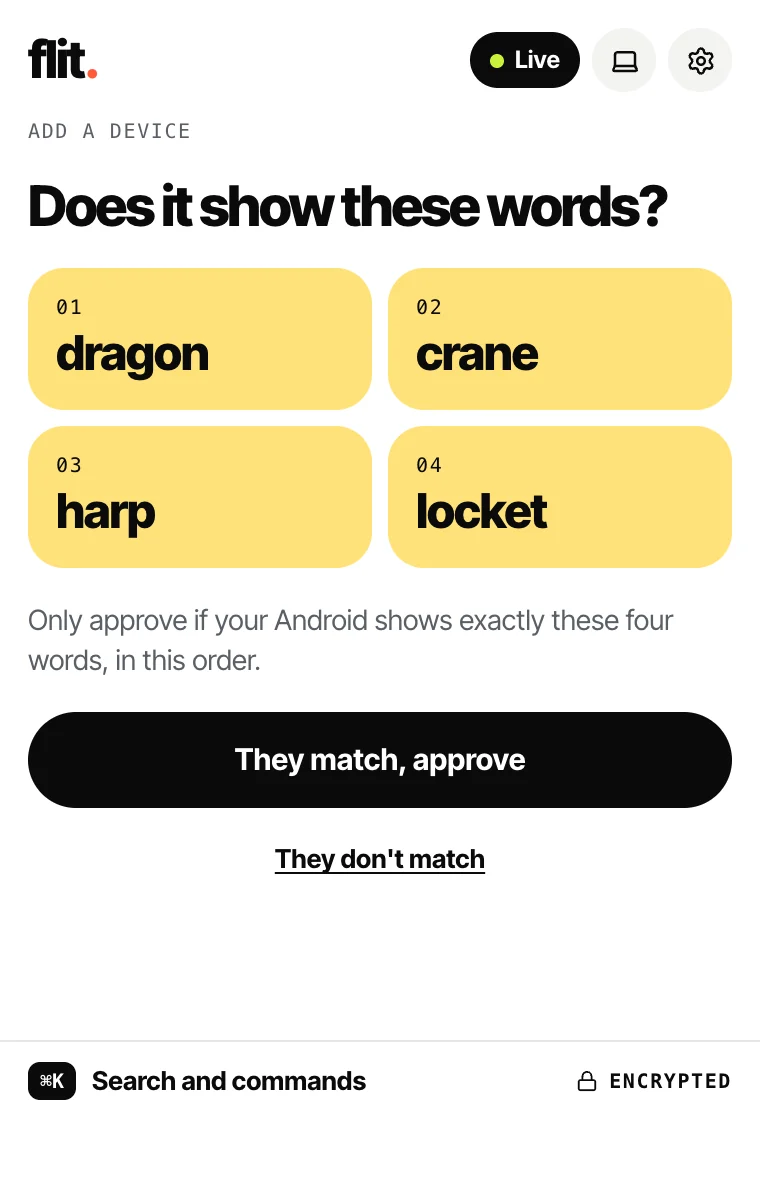
Scan the code with your phone, then check the same four words on both screens.
Send anything
Links, notes, files, texts. Pick a device, hit Send, and it shows up on the other side.
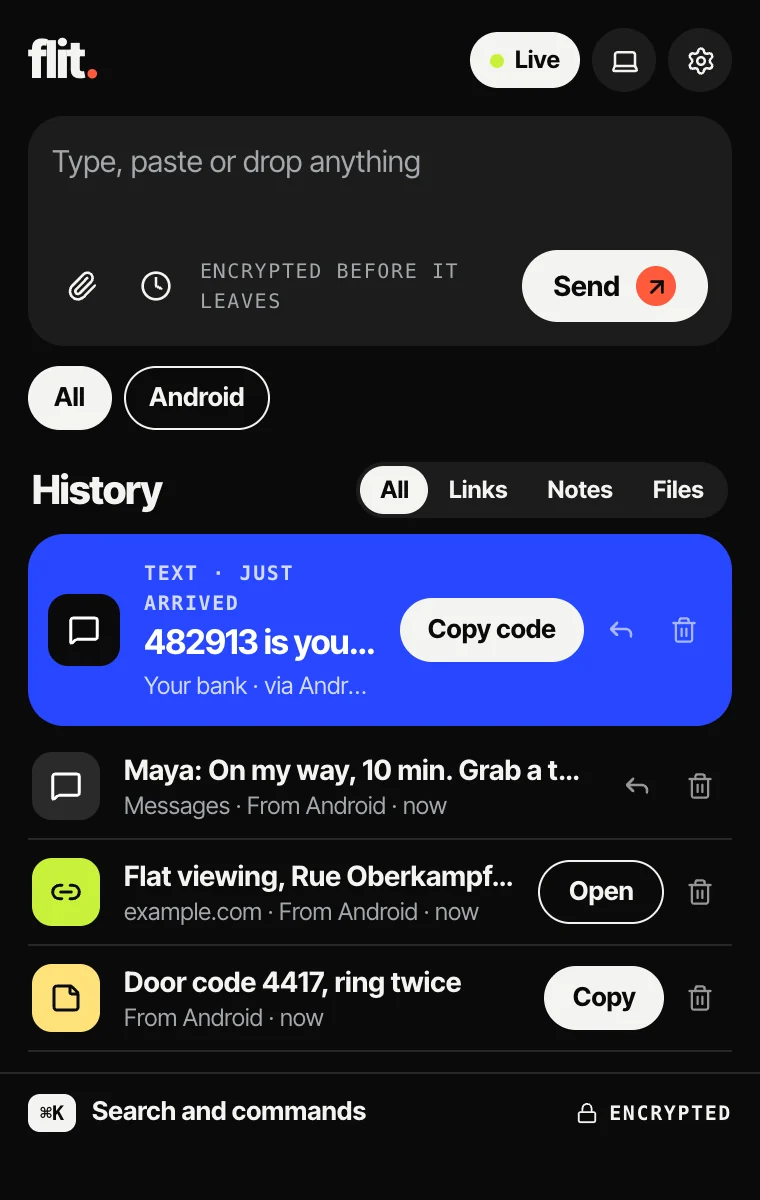
One inbox, on every device.
The same history in your browser, on your Mac or PC, on your phone and in your terminal. These are the real apps.
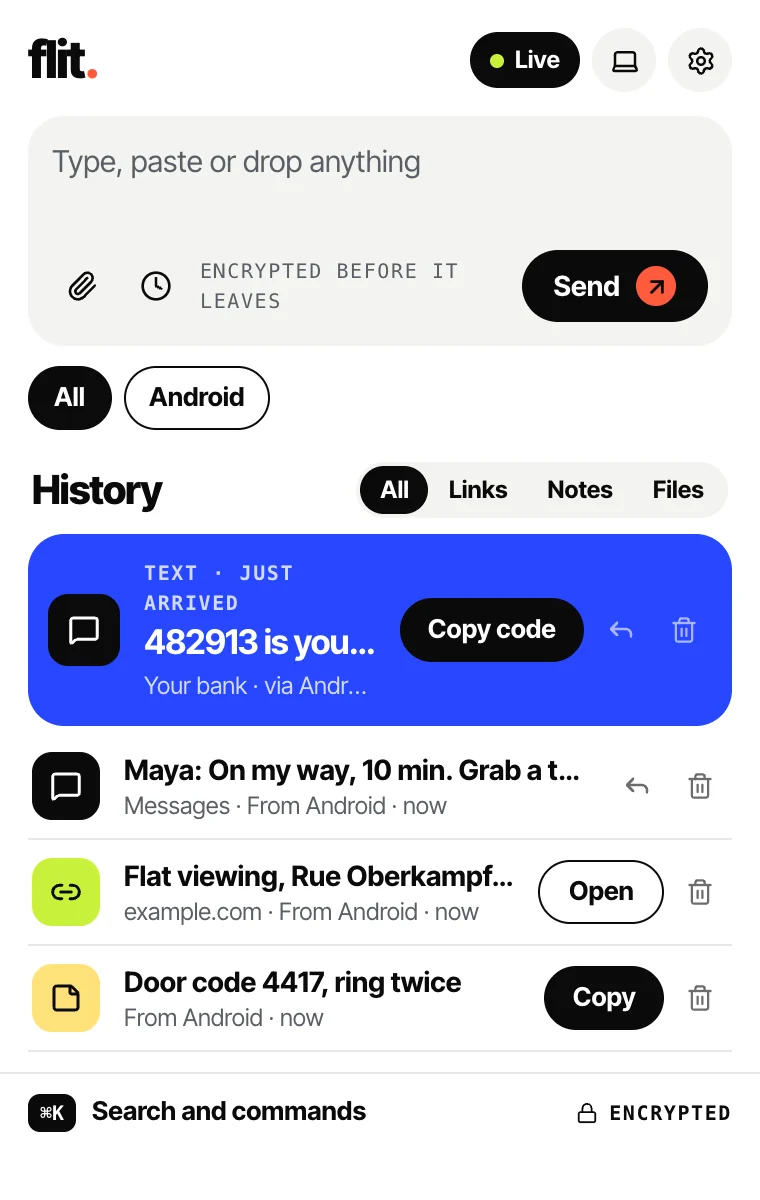
Your inbox, one click away.
Everything that arrives from your other devices, newest first. Reply to a text, open a link, save a file, without leaving the page you're on.
- Send the tab you’re on, a note or a file
- Codes from your texts get a Copy button
- ⌘K searches everything, on your device
- Light and dark, like your browser
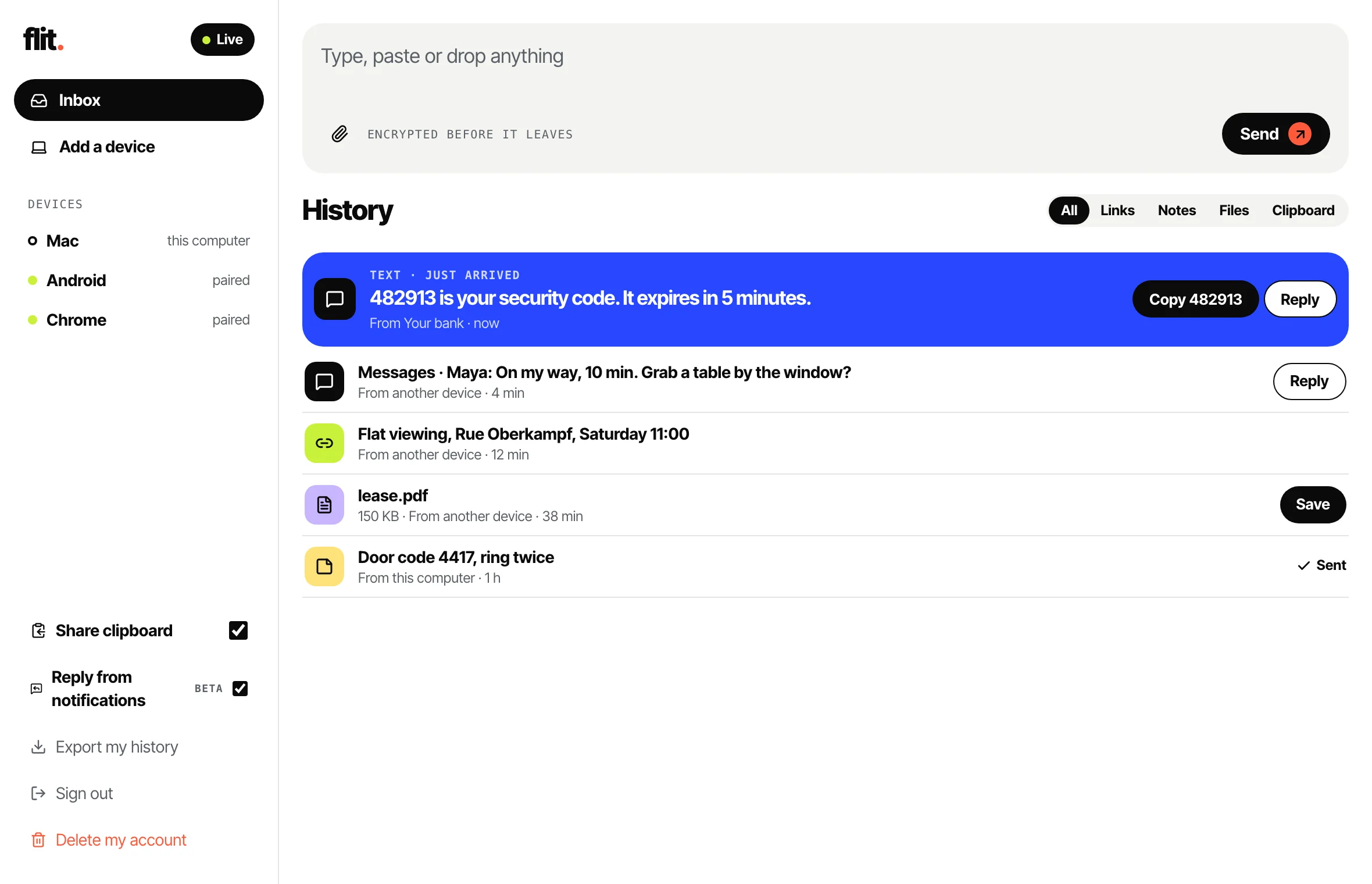
A home on your computer.
The same inbox in a real window, with your devices in the sidebar and everything a click away from where you work.
- Lives in the menu bar; arrivals show as notifications
- Reply to texts from the notification (Mac, beta)
- Drop a file on the window to send it
- Your clipboard, shared both ways if you want
Four words, and it’s yours.
No passwords to sync and no keys on our servers. A new device shows a code; your other device checks the same four words and lets it in.
- Scan a QR code or type a short code
- Both screens show the same four words
- The account key travels encrypted to that device only
From any terminal, too.
flitdot is a real device of its own, paired like the others, so what it sends is end-to-end encrypted too.
- Notes, links and files from scripts and cron jobs
- Send later with --in 2h
- An MCP server, so an AI assistant can send to you
- Scripts written for the Pushbullet API work too
$ flitdot push "Build finished: v2.4.1 is out"Sent.$ flitdot push --file report.pdfSent.$ flitdot push --in 2h "Call the landlord back"Scheduled (sch_7f3a). `flitdot scheduled` lists it.$ flitdot list 3text 482913 is your security code… (another device)link Flat viewing, Rue Oberkampf (another device)note Build finished: v2.4.1 is out (this terminal)
Your phone, mostly from your desk.
We can't read your stuff.
Nobody else can either.
Everything is encrypted on the device that sends it and decrypted only on the device that receives it. Keys never leave your devices.